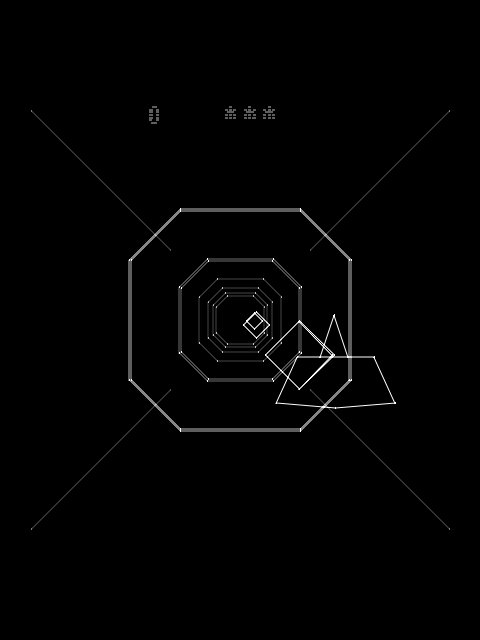
GONG RIDER
You steer a flying carpet through the gates of a tunnel, then play back the notes of four gongs. The whole game is one C file of 978 lines. A second version for the PiTrex is one C file of 862 lines. Both sources are free to download.
Free. Built for my newsletter, heavily inspired by Master of the Lamps (Activision, 1985). Runs on a standard Vectrex: a plain ROM under 8 KB, no special cartridge. The PiTrex version is a native program for the PiTrex cartridge, with a desktop simulator in the download.
Play it
In an emulator. Load gongrider.bin as the cartridge. In MAME (which needs the Vectrex system ROM):
mame vectrex -cart gongrider.bin
MAME keys: arrows = joystick, Left Ctrl / Left Alt / Space / Left Shift = buttons 1–4.
On a real Vectrex. Copy gongrider.bin to a flash cartridge like any other homebrew ROM.
The ride. Steer the carpet so it is inside the bright diamond gate when the ring reaches you. Each gate plays the next note of a tune; a missed gate costs a lamp.
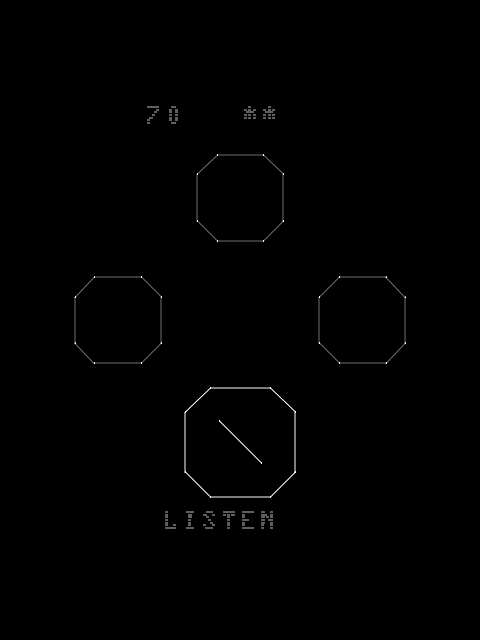
The gongs. After eight gates the gongs play a sequence. Play it back by pushing toward each gong (up, right, down, left) or with buttons 1–4. Right: the next stage, faster. Wrong: a lamp, and the sequence plays again.
How it works
An article on my newsletter explains the source of GONG RIDER, with 21 excerpts from gongrider.c.
Read the article
Build it
You need VectreC (CMOC 0.1.98 with the Vectrex BIOS wrapper, ready downloads for macOS and Windows). Unpack the source, then:
VECTREC=/path/to/vectrec sh build.sh
The result is build/gongrider.bin, the same 5895 bytes as the ROM download.
Source version 3c53f57. MIT licence: use it, change it, build on it.
Build it for the PiTrex
The PiTrex source is the same game written again for the PiTrex, with Malban's vectrexInterface library. The download holds everything: the game, a desktop PiTrex simulator and the build for a real PiTrex.
On your computer. You need make, a C/C++ compiler and SDL2. Unpack the source, then:
make run
Arrow keys = joystick, 1 2 3 4 = buttons, Esc quits.
For the PiTrex. You need arm-none-eabi-gcc and Malban's pitrex-baremetal SDK
(how to get and build it). Then:
make img PITREX_SDK=/path/to/pitrex-baremetal
The result is gongrider.img for the Pi Zero; add BUILD_FOR=zero2 for the Pi Zero 2.
Source version 629a793. MIT licence.